
INTRODUCTION
01 / 03
Quickstart
Installation & Setup
If you are new to setting up MIDI plugins, quick DAW setup guides are available in the “Quickstart” folder inside your download.
QUICKSTART GUIDES


INTRODUCTION
02 / 03

How It Works
How Chord Chameleon transforms your MIDI.
Chord Chameleon shape-shifts MIDI notes in real time before they reach your instrument.


NO BUILT-IN SOUNDS
Chord Chameleon does not include built-in sounds. It is designed to control MIDI instruments.
INTRODUCTION
03 / 03
Playing Chords
Struck vs. Rolled Chords
STRUCK TOGETHER
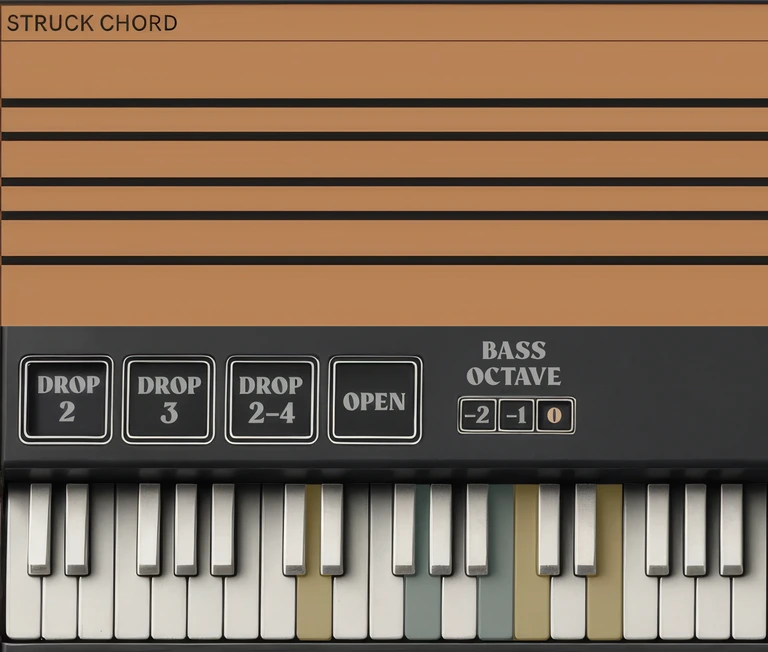
Strike a chord to reshape it.
Strike three or more chord notes together. Chord Chameleon applies the selected inversion and voicing.
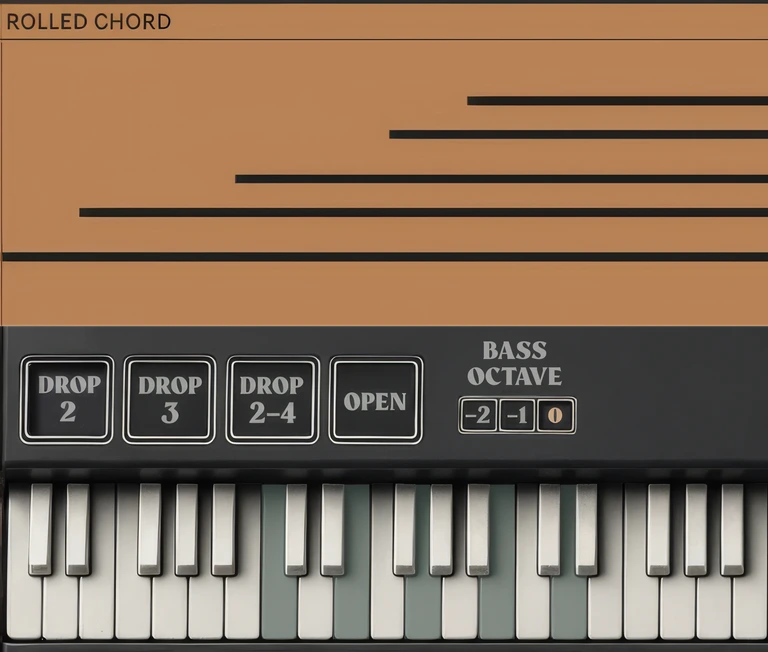
GRACE NOTES
Hold the struck chord, and nearby follow‑up notes stay with it.
After Chord Chameleon detects a chord, nearby follow-up notes are processed with the current inversion and voicing while any note from that chord is still held.
DIAGRAM
01
02
03
01 · CHORD HELD
The held chord uses the selected inversion and voicing.
02 · FOLLOW-UP NOTE
A nearby note follows the same inversion and voicing.
03 · CHORD RELEASED
The connection ends when all notes from the detected chord are released.
NOTES STAY AS PLAYED
Next, see how inversions and voicings reshape a chord when you strike its notes together.